


Real-time face tracking has evolved from a research novelty into a practical tool for interactive robotics, surveillance, and automation. Advances in single-board computers and AI accelerators have enabled compact systems to detect and track human faces with remarkable speed and accuracy. This face-tracking system is built on the Raspberry Pi 5, with optional Hailo-8L acceleration, and compares its performance against Raspberry Pi 4, demonstrating how hardware choices affect tracking responsiveness and precision.
POC Video Tutorial
Face tracking in this system is not designed to identify or recognise a specific individual. Its purpose is to detect human faces within the camera’s field of view and dynamically track their movement. The objective of the system is to move the pan-tilt-mounted camera to locate human faces, lock onto the region with the highest face density, and count the detected faces. If no faces are present, the system criss-crosses the visual frame to locate them, producing an interactive, almost lifelike behaviour reminiscent of R2-D2 in The Empire Strikes Back movie.
| Bill Of Materials | |
| Components | Quantity |
| Raspberry Pi-5 | 1 |
| Hailo-8L AI accelerator | 1 |
| Micro gear servo motor | 2 |
| Raspberry Pi heat sink and fan | 1 |
| 5V 3A Raspberry Pi power adaptor | 1 |
| HDMI display | 1 |
| OLED display | 1 |
| Raspberry Pi camera | 1 |
| PCA-9685 servo driver | 1 |
Equipped with a quad-core CPU and up to 8GB or 16GB RAM, it can handle computer vision workloads using OpenCV, TensorFlow Lite, or lightweight YOLO models. For applications that demand higher speed and reliability, a Hailo-8L AI accelerator can be added, providing an additional 8 or 16 TOPS of AI performance. In comparison, microcontroller platforms such as Arduino, ESP32, or MaixCam cannot achieve this level of performance.
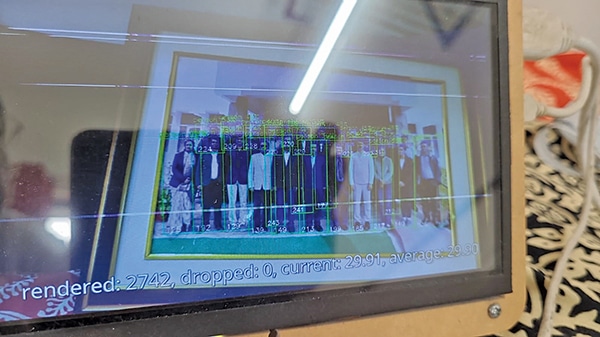
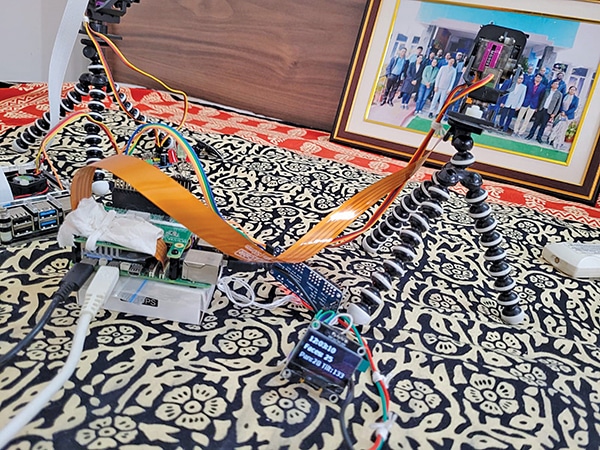
Fig. 1 demonstrates real-time face detection in a crowded scene, where multiple human faces are simultaneously identified and highlighted with bounding boxes. Fig. 2 shows the author’s prototype. The components required to build the system are listed in the Bill of Materials table.
Cooling requirements
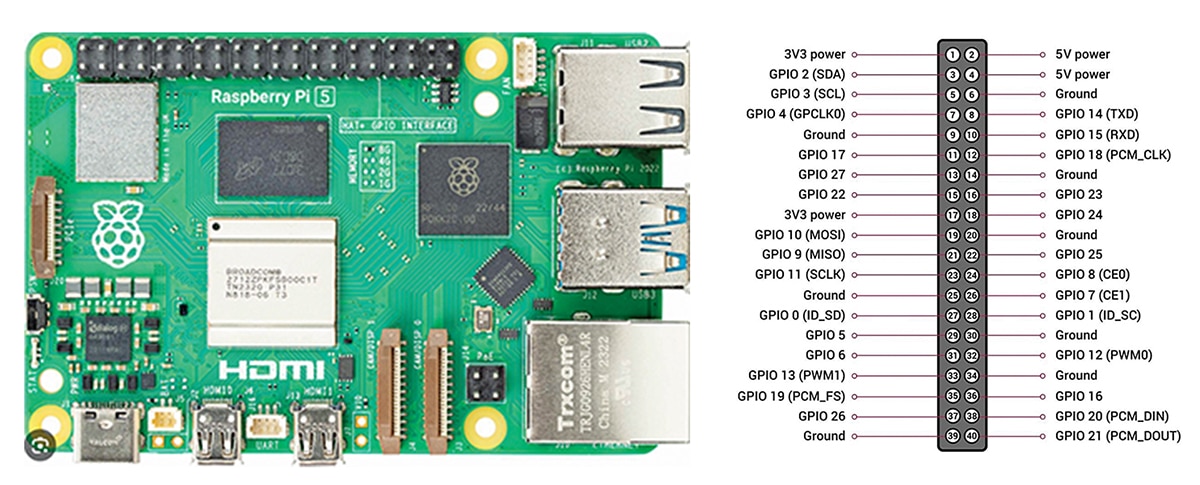
A forced-fan cooler is normally required for Raspberry Pi operation and is essential for the Raspberry Pi 5. During intensive AI workloads, both the Pi 5 and the Hailo-8L AI module generate significant heat. As the Hailo-8L module is mounted openly above the Pi 5 processor, only a specific type of fan cooler is compatible with the Pi 5, while the AI module itself may not require separate active cooling. However, for additional thermal safety and improved heat dissipation, attaching a small adhesive-type metallic heatsink directly to the Hailo-8L AI processor is advisable, as shown in Fig. 3.
Pan-tilt mechanism
Pan-tilt servo brackets are available in various designs. For initial setups, a lightweight plastic bracket driven by a pair of MG90S servos is sufficient and cost-effective. For more robust applications, heavy-duty metallic pan-tilt brackets are available, but these require equally strong servos, such as the metallic MG995, to handle the load.
Heavy-duty pan-tilt mechanisms are recommended only when operating with the Raspberry Pi 5 and Hailo-8L platform. This configuration operates at high speed, and when no face is detected, the system rapidly criss-crosses the frame, as illustrated in Fig. 4.
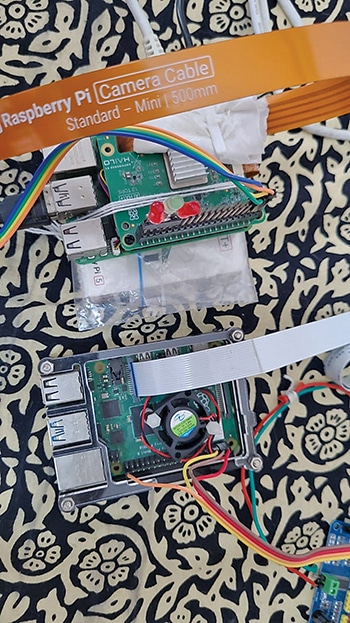
For servo operation, a PCA9685 board is used to simplify servo control. It communicates over the I²C interface, freeing up GPIO pins and allowing precise, simultaneous control of multiple motors. In this configuration, two channels are used for pan and tilt, with the remaining channels reserved for future expansion, such as robotic arms or wheels.
To use the PCA9685, the I²C interface on the Raspberry Pi must be enabled. This can be done by running sudo raspi-config, selecting Interface Options, and enabling I²C.
Display issue
For the default Hailo-8L setup, a display is mandatory. Without a display connected and powered on, Hailo programs do not run. Any small TFT display, such as a 5-inch (12.7cm) or 7-inch (17.7cm) HDMI display, or a larger screen such as a 4K wall-mounted television, can be used. While display output is generally stable on a television, smaller TFT screens may show instability, such as flickering or blanking, particularly during high-load operations such as AI inference.
Typically, TFT and LCD displays consume substantial power, with the backlight drawing a significant amount of current. Therefore, the display should be powered by a separate power source, not by the Raspberry Pi 5’s USB port.
If the issue persists, adjust the HDMI settings by editing the configuration file. All other lines should remain unchanged. Add the required entries at the end of the file, save the changes, and reboot the system for them to take effect.
$> sudo nano /boot/firmware/config.txt
# Bera added these lines
[HDMI:0]
hdmi_force_hotplug=1
hdmi_group=2
hdmi_mode=87
hdmi_drive=2
hdmi_timings=1024 1 48 32 80 600 1 3 4 23
0 0 0 60 0 64000000 3
[HDMI:1] # for your TV (optional, can be
removed if unnecessary)
hdmi_group=1 # CEA mode (for TVs)
hdmi_mode=16 # 1080p @ 60Hz (adjust based
on TV)
hdmi_drive=2
hdmi_force_hotplug=1
config_hdmi_boost=5
In a later revision, the code was modified to allow Hailo-8L applications to run in true headless mode without requiring a display to be connected. A small I²C OLED display was used to show the number of detected faces and the pan-tilt angles, eliminating the need for an HDMI display.
Software coding and installation
All software used in the system is open source. The primary operating system is Debian GNU/Linux 12 (Bookworm). A 64-bit operating system is required and is available at https://www.raspberrypi.com/documentation/computers/ai.html#getting-started
For installing Hailo-8L, refer to https://github.com/hailo-ai/hailo-rpi5-examples/blob/main/ README.md#installation]
First, download the repository to the Raspberry Pi 5: