






What if repetitive coding actions could move off the keyboard? A programmable control device is putting shortcuts, app commands, and AI workflows within reach.
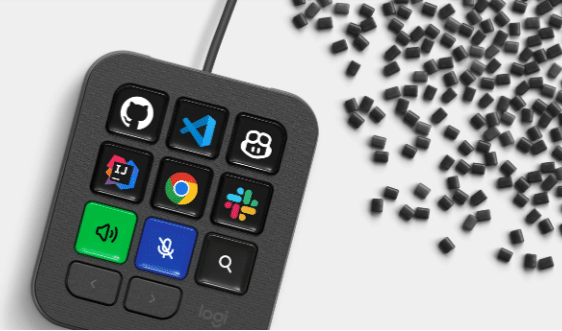
Logitech has introduced a customisable physical control device designed to help developers handle shortcuts, repetitive tasks, and artificial intelligence (AI)-assisted coding workflows without relying entirely on the keyboard. The MX Keypad brings programmable controls, app-specific actions, and analogue touch controls into a single device that can be configured around how a developer works.

The company is positioning the device as an AI control centre for developers working across multiple applications and coding agents. It supports workflows involving GitHub Copilot, Claude Code, VS Code, and IntelliJ IDEA, while allowing users to configure controls for individual applications and tasks.
At an interaction with EFY in New Delhi, Chiraayu K. Pandya, regional category head at Logitech, explained that the idea is to reduce the number of steps involved in routine work. Instead of repeatedly using combinations of keyboard shortcuts, developers can assign those actions to physical controls and access them directly.
One keypad, different workflows
The keypad can be divided into different pages. It can go up to 15 pages and nine controls on each page. Each page can be configured for a different workflow, while the controls can be assigned to specific applications and actions.
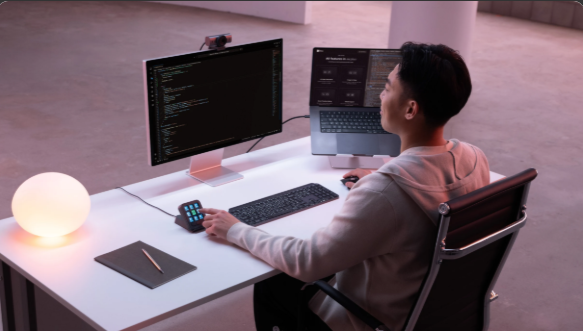
This means the same physical control does not have to perform the same function all the time. A developer working in one application can configure a page around that workflow and switch to another page when moving to a different tool.
The device can also go deeper than simply launching applications. Controls can be assigned to specific functions within an application, allowing users to build shortcuts around the way they actually work.
The keypad also introduces analogue touch controls and haptic feedback, adding another way to interact with software instead of relying only on physical button presses. The focus, according to the category head, is less about adding another set of keys and more about reducing the layers involved in getting a task done.
That approach also extends to the developer community. Logitech’s Logi Actions software developer’s kit (SDK) allows developers to build their own integrations, while its marketplace provides a route for publishing them. The company says developers can use its AI-friendly documentation to create custom integrations, and community plugins for Claude Code and OpenAI Codex are already available.
GitHub collaboration brings AI coding into the mix
The device comes with native GitHub integration for VS Code and the GitHub Copilot app, with support planned for more tools. Buyers in India and the US also get three months of GitHub Copilot Pro+ through Logi Options+. Logitech is looking forward to showcasing it at GitHub Universe 2026 in San Francisco.
“The collaboration with GitHub has been a significant investment for us. It brings the hardware and software sides together, while the Copilot Pro+ subscription gives users access to the AI capabilities that are becoming an important part of how developers work,” concludes Pandya.
For the official announcement, click here.