




In this project, I built a wearable health monitoring tag that you can actually chat with on Telegram. Using a pulse oximeter sensor and a coin-sized microcontroller, the system tracks heart rate and SpO2 in real time. You can remotely ask the sensor about a patient’s health, receive automatic updates, and even send vibration alerts without disturbing the patient.
Monitoring the health of kids, elderly people, or patients usually requires frequent physical checks. That often means waking them up or being physically present. In many cases, this is inconvenient or simply not possible.
I wanted to explore a more natural and non-intrusive way to stay connected with a patient’s health. What if you could just open Telegram and ask a sensor how the patient is doing? No screens. No buttons. Just a conversation.
That question became the foundation of this project.
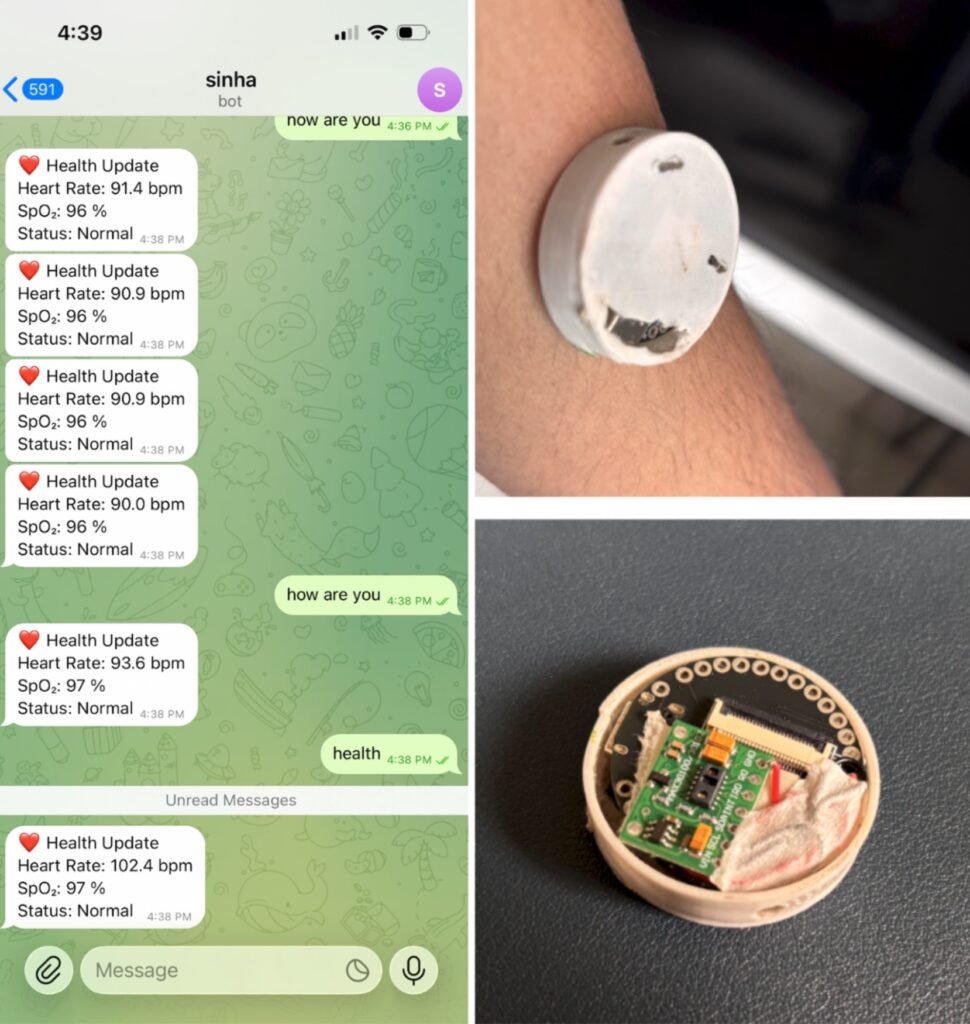
Smart Health Sensor You Can Chat With on Telegram
This project demonstrates a wearable health monitoring system that measures heart rate and blood oxygen levels using the MAX30100 pulse oximeter sensor. The data is processed by an IndusBoard Coin and sent directly to a Telegram bot.
Once connected, you can receive live health updates, ask for the current health status through chat commands, and even trigger alerts like vibration signals for medicine reminders or emergency notifications.
All you need is an internet connection.
Core Components Used in This Project
At the heart of this system is the IndusBoard Coin, a microcontroller that is roughly the size of a coin. Because of its compact form factor, it can be worn as a tag, sticker, or locket.
The main components include:
- IndusBoard Coin
- MAX30100 pulse oximeter sensor
- 3.3V battery
- Optional vibration motor, LED, or buzzer
This minimal hardware design keeps the system lightweight, wearable, and practical for real-world use.
How the Telegram-Based Health Monitoring System Works
The workflow is simple but powerful.
First, the MAX30100 sensor continuously measures heart rate and SpO2 levels. The IndusBoard Coin processes this data and connects to WiFi. Using the Telegram Bot API, it sends health data directly to a Telegram chat.
You can configure the system to send health reports every second or at custom intervals. You can also request the current health status by sending messages like “how are you”, “health”, or “how is your health” to the bot.
The sensor responds instantly with the latest readings.
Creating the Telegram Bot for Health Data
Before uploading the code, you need to create a Telegram bot and generate an API token. This bot acts as the communication bridge between the wearable sensor and your phone.
Once the bot is created, you configure the following details in the code:
- Telegram Bot API token
- WiFi network SSID and password
- Chat ID where messages will be sent
During setup, the board connects to WiFi, initializes the sensor, connects to Telegram, and sends a test message to confirm everything is working correctly.
Code Structure and Functionality Explained
The project uses two main libraries:
- MAX30100lib for sensor communication and data processing
- AsyncTelegram2 for Telegram messaging
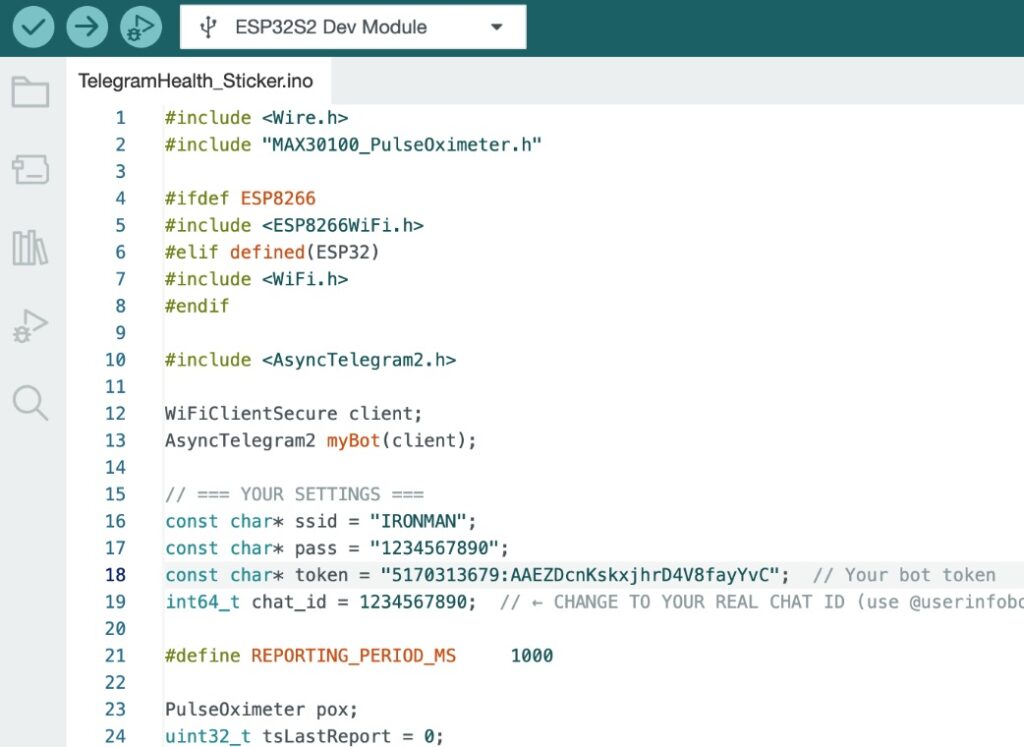
Inside the loop function, the sensor data is updated and sent to Telegram. If you do not want continuous updates, you can disable that section and send health data only when requested.
There is also a message callback function that listens for incoming Telegram commands. This allows two-way communication, making the sensor feel interactive rather than passive.
You can extend the code further to include vibration alerts, LED notifications, medicine reminders, or fall detection using the built-in features of the IndusBoard Coin.
Circuit Connection
The MAX30100 sensor connects to the default I2C pins of the IndusBoard Coin. SDA and SCL are connected to pins 8 and 9, respectively.
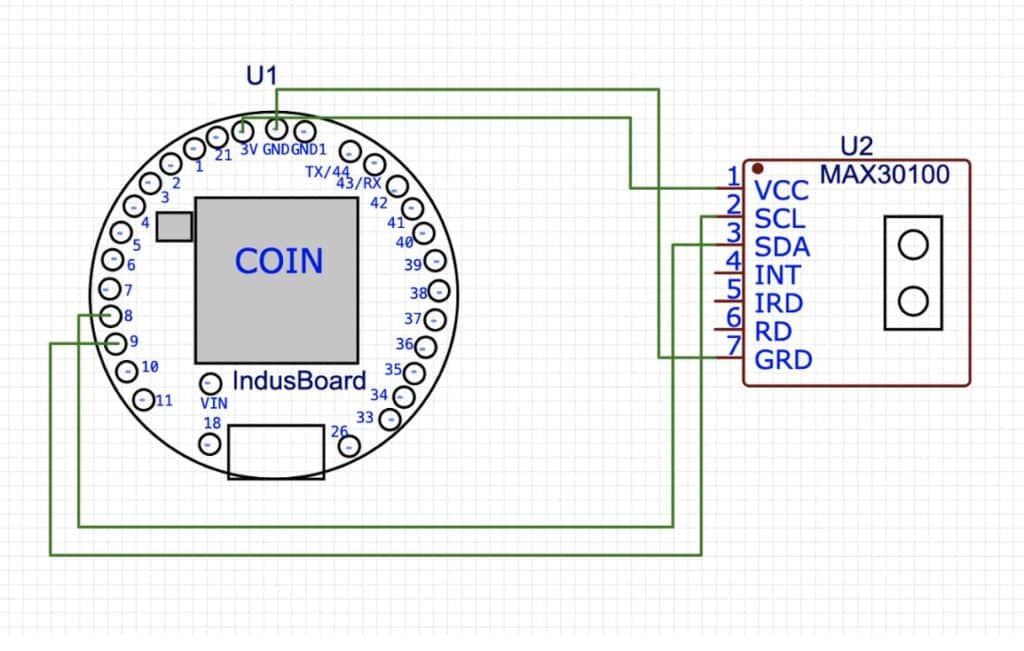
Optional components like a vibration motor, LED, or buzzer can be added for alerts. If you want the device to function as a standalone wearable alarm, a battery must be connected to the onboard battery connector.
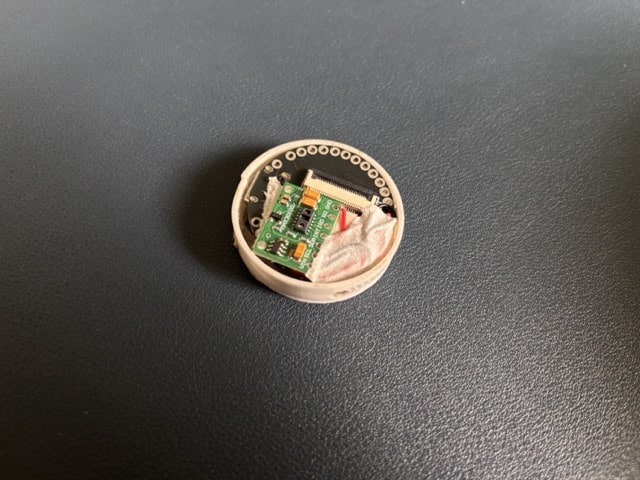
After wiring, the sensor is fixed behind the coin board. The entire assembly can be placed inside a custom case, worn using medical-grade adhesive, or mounted on a strap or band.
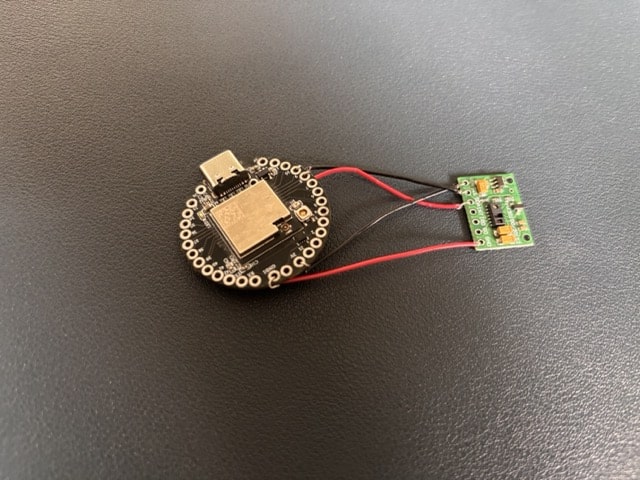
Testing the Wearable Health Tag
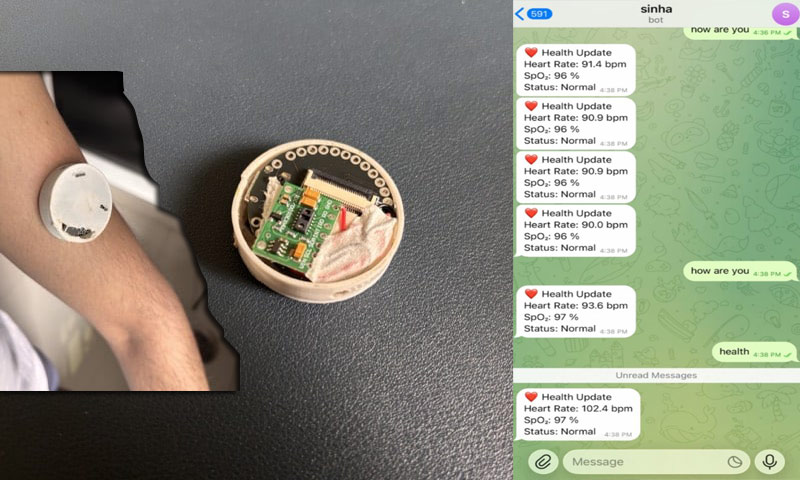
Once everything is assembled, connect the 3.3V battery and place the tag inside its enclosure. Wear it on the wrist or arm using a tight band or medical adhesive.
Open the Telegram app and start a chat with your bot. You will begin receiving health reports based on your configuration. You can also message the sensor directly and ask for the current health status.
The response comes instantly, making it feel like you are chatting with the patient’s health sensor itself.
Real-World Applications of This Health Monitoring System
This project can be used in several practical scenarios:
- Remote health monitoring for elderly people
- Child health tracking for parents
- Patient monitoring in home care setups
- Medicine reminder systems
- Emergency alerts for abnormal health readings
- Wearable health research and prototyping
Final Thoughts
What makes this project exciting is not just the technology, but the experience. Turning a health sensor into something you can chat with changes how we think about remote monitoring.
With a coin-sized board, a simple sensor, and a familiar messaging app like Telegram, you can build a wearable health system that feels personal, responsive, and genuinely useful.
