Struggling with GPS indoors? Learn how to build a DIY real-time indoor tracking system using BLE and Wi‑Fi triangulation. Track people, pets, or robots with accuracy and see positions live on your device.
Table of Contents
Indoor navigation is becoming increasingly important across many applications—from wearables and indoor tracking systems to monitoring pet movement. It also plays a key role in areas like home automation and robotics. The problem is that GPS simply doesn’t work well indoors. Technologies like RADAR and LiDAR can solve this, but they are expensive and often impractical for everyday use.
That’s where a simpler and more affordable solution comes in: BLE triangulation and Wi-Fi triangulation. These methods allow real-time indoor positioning by using BLE or Wi-Fi signals and translating their signal strength, measured as RSSI (Received Signal Strength Indicator), into distance information.
In a typical setup, we place three or more anchors or beacons on the ceiling or corners of a room or building. By continuously analysing the signal strength between these beacons, the system can estimate a person’s or object’s exact location inside the space.
To make this work, we can use small, compact BLE or Wi-Fi boards. A good example is the Indusboard, which comes with built-in Wi-Fi, along with an accelerometer and a magnetometer. This not only helps track movement but also provides real-time direction information.
The number of beacons depends on how accurate you want the system to be and how much you’re willing to spend. In many cases, using four beacons gives better results than three.
Placing the Indusboard units at the four ceiling corners of a room, rather than on the walls, improves accuracy and keeps costs in check. With a few tweaks to the code, this setup can even help estimate the room’s depth and height.
Before we proceed, let’s first understand what the triangulation method is and how it can be used for real-time monitoring and tracking inside a room or house, even across multiple floors.
What is the Triangulation Method, and how is it used?
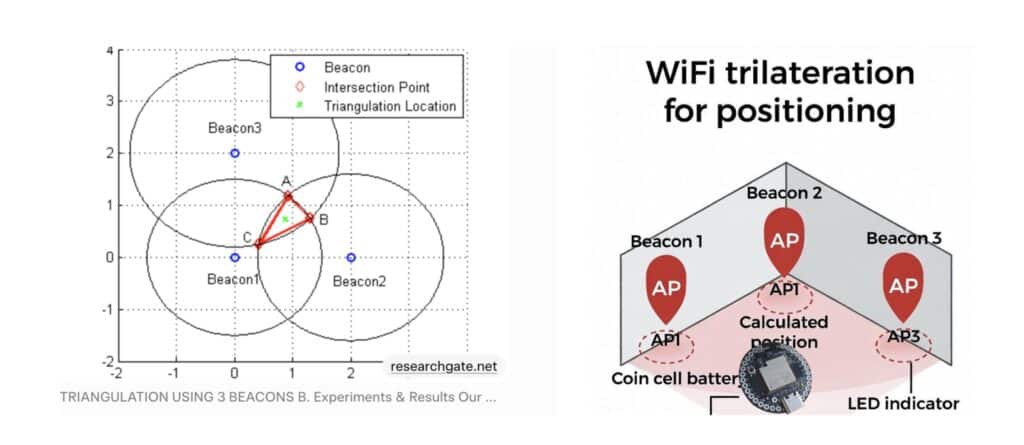
The triangulation method works by using the angles and signal strengths of Wi-Fi or Bluetooth signals from several fixed points to figure out exactly where an object is.
For indoor tracking, we set up special receivers—like Wi-Fi, Bluetooth, or UWB anchors—that can detect the angle of arrival (AoA) of signals coming from a device. By drawing lines in the direction of these angles, the point where the lines meet shows the device’s exact position.
Because this method relies on geometry rather than just signal strength, it’s more accurate and stable, making it ideal for navigating and tracking inside buildings, warehouses, or factories.
How to Calculate Wi-Fi Triangulation?
Let’s say you have 3 WiFi beacons at known positions in a room (e.g., corners at (0,0), (5,0), (2.5,4)m). Your phone (tag) gets RSSI from each (-60, -70, -65 dBm).
- Convert RSSI to Distance: Use a formula like “distance = 10^((reference RSSI – measured RSSI) / (10 * path loss factor))”.
- Reference RSSI (A): Signal at 1m (e.g., -59 dBm, test it).
- Path loss (n): How signal fades indoors (e.g., 2.5).
- Example: For RSSI -60: distance = 10^((-59 – (-60)) / (10*2.5)) = 10^(1/25) ≈ 1.1m.
- Do for all 3: d1=1.1m, d2=2.5m, d3=1.8m.
- Draw Circles (Trilaterate): Imagine circles around each beacon with radius = distance.
- Circle 1: Center (0,0), radius 1.1m.
- Circle 2: Center (5,0), radius 2.5m.
- Circle 3: Center (2.5,4), radius 1.8m.
- Your position is where they intersect (one point usually).
- Math to Find Intersection: Use equations (x – x1)^2 + (y – y1)^2 = d1^2 for each circle.
- Subtract pairs to solve for x/y: e.g., x = (d1^2 – d2^2 + x2^2 – x1^2) / (2*(x2 – x1)) + y term.
- For multi-floor (3D): Add z, use the 4th beacon or least-squares (average best fit).
- Example result: (2.0, 2.0)m. Tools like Python/Excel can compute.
Hardware Required:
| Component | Qty | Description |
| IndusBoard Coin V2 | 5 | Smallest Coin-sized Board with Wi-Fi |
| 3.3V Battery | 1 | LiPo /Ion Battery |
| USB-C Cable | 1 | Power/programming |
Step-by-Step Coding for Indoor Tracking
Here, we need to create two separate codes: one for the anchors/beacons that transmit Wi-Fi signals and act as Wi-Fi hotspots, and another for the tag that will receive these signals.
The anchors/beacons should be placed on the walls or ceilings of rooms—on each side or on different floors, depending on whether you want a multi-floor positioning system. The tag will be attached to pets’ collars, people’s necks, or robot chassis. These tags will act as receivers, collecting signals from all Wi-Fi networks of the anchors and calculating the position using the triangulation method described earlier. Finally, the position information can be displayed in real-time on a webpage.
Anchor/Beacon Code
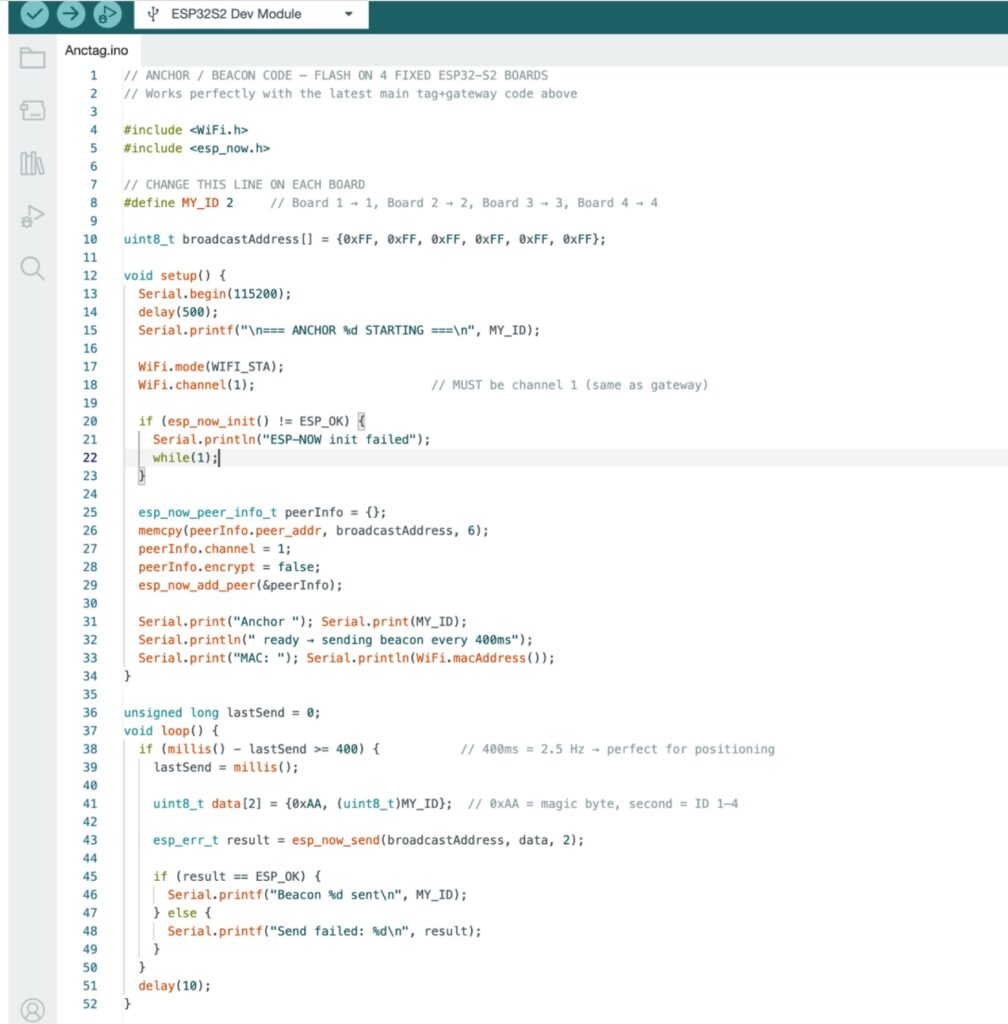
For the anchor code, we use the ESP-NOW library. This library allows multiple ESP devices to communicate directly with each other without the need for an internet connection or external Wi-Fi routers. It can even create its own connected network.
In the code, each anchor should have a unique device ID (1, 2, 3, 4, etc.), so the tag can identify which anchor it is communicating with and determine the distance from each ID. Next, set a broadcast address for each beacon and use it to send data via ESP-NOW.
Once the code is ready, upload it to the industrial board for each anchor. You will need at least 3 anchors, but 4 are recommended for better accuracy. For multi-floor positioning, you can modify the tag code to include floor-level data, but in this example, we are focusing on single-room positioning.
In addition to using ESP-NOW, we also need to configure the AP mode of the Wi-Fi so that each anchor can act as a hotspot. This allows us to connect to the network and view position data in real time, enabling continuous tracking over the same network.
The Indusboard Coin comes with a built-in magnetometer and accelerometer, which help measure movement speed and direction in real time. The magnetometer is used to obtain direction data and the degree of rotation, allowing the system to determine precise orientation. This makes the localization and positioning system more accurate and secure, providing pinpoint direction and real-time tracking, thereby making our indoor positioning system more advanced.

For the tag code, we have also created another version of the program that, when the Indusboard beacons are placed on the corners of the room’s ceiling, can determine not only the 2D position but also the depth and height of the object.
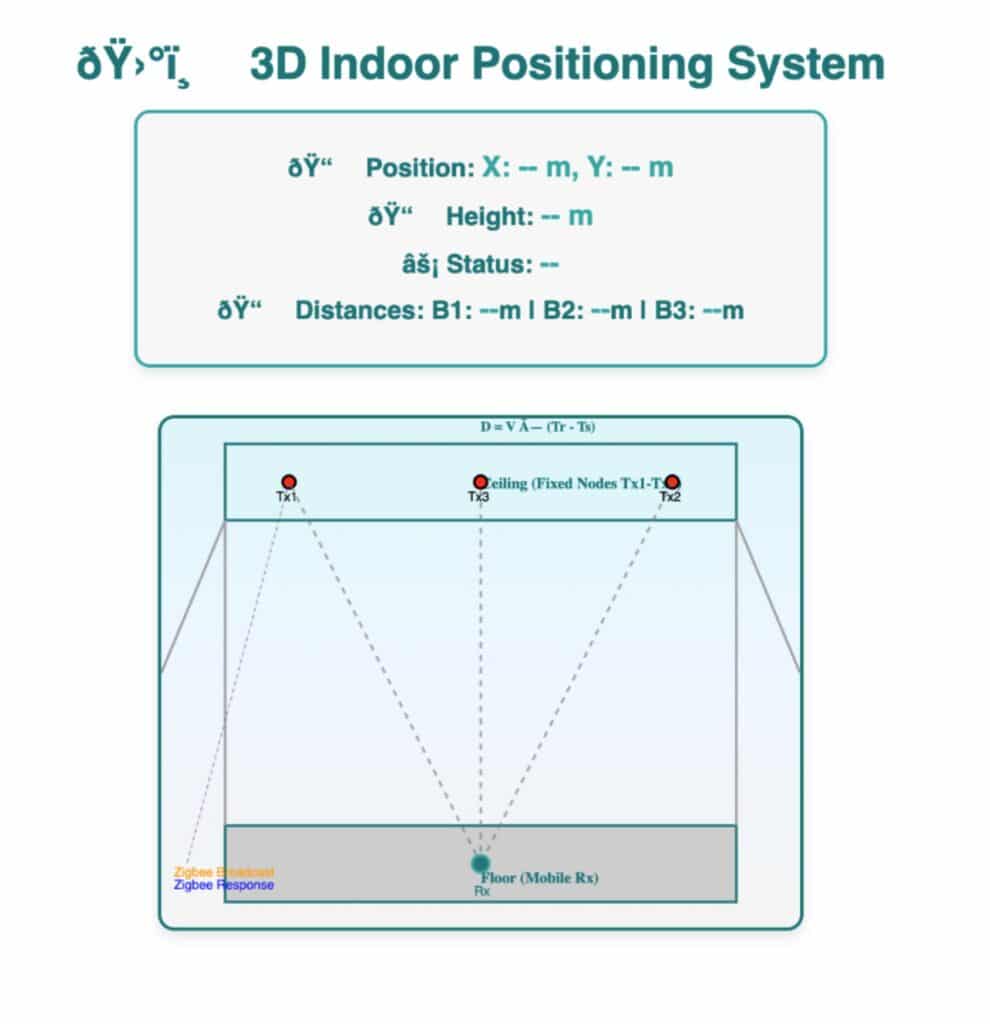
Testing Real-time Indoor Tracking
Now, power the anchors using a 3.3V battery or a suitable power supply via the JST connector on the back of the Indusboard Coin. Place each anchor at the corners of the room, as shown in Figure 6.
Next, power the tag and attach it as needed: as a locket for a person, a collar for a pet, or fixed on a robot—essentially anything you want to track. Connect your laptop or phone to the Wi-Fi hotspot of the tag device.
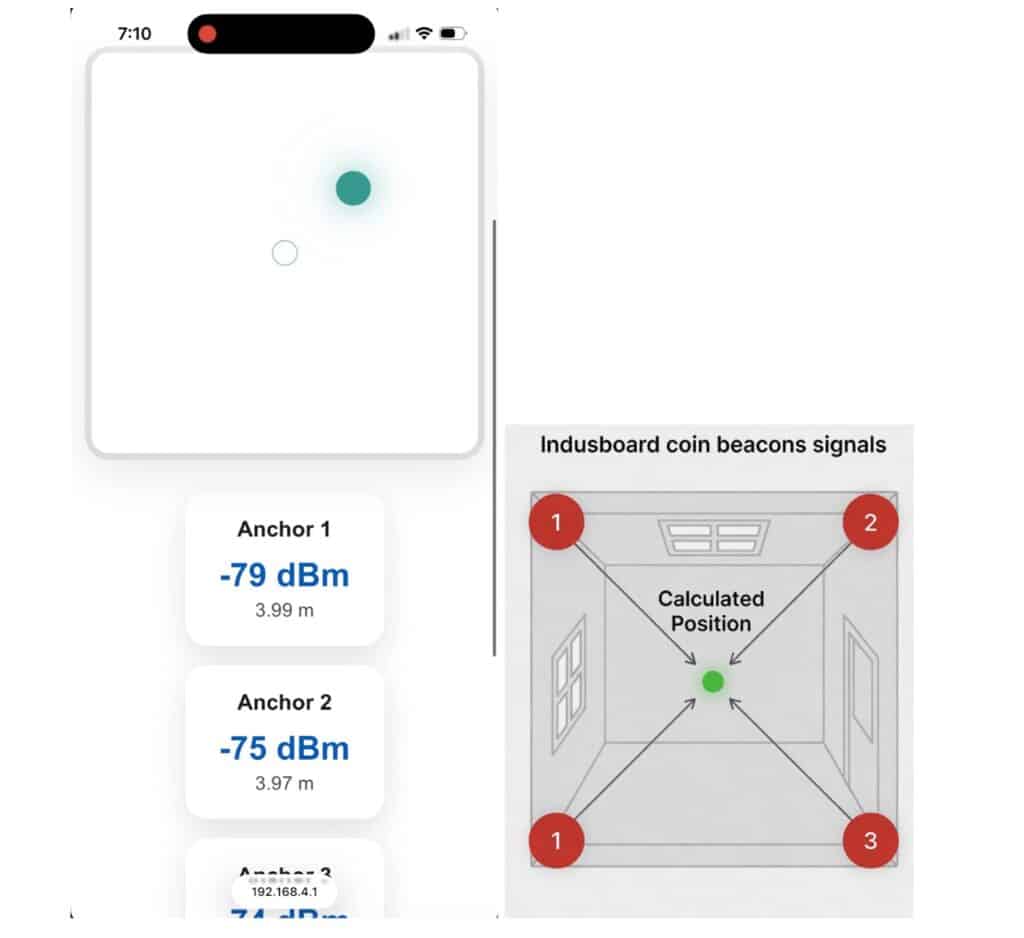
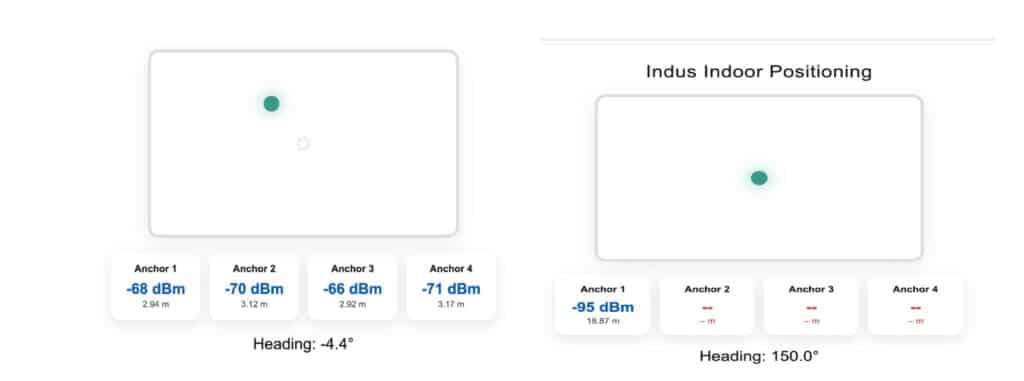
Open a web browser and enter the IP address 192.168.4.1. You will now be able to view real-time data, including movement direction, position within the room, and the distance from each beacon/anchor. A green dot on the interface moves as the tag moves, allowing you to track it in real time.