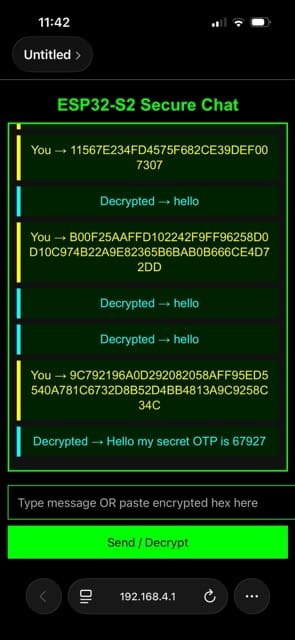
Encryption is one of the most crucial components for securing IoT devices and communication systems, whether wired or wireless. It ensures that data remains safe even if packets are intercepted or leaked during transmission. Encrypted data cannot be read, keeping it secure from unauthorised access.
In our design, we use end-to-end encryption for the communication system. The onboard IndusBoard Coin has a built-in encryption chip that handles message encryption. We’ve created a chat system where the Coin acts as a server hosting a web-based chatting app.
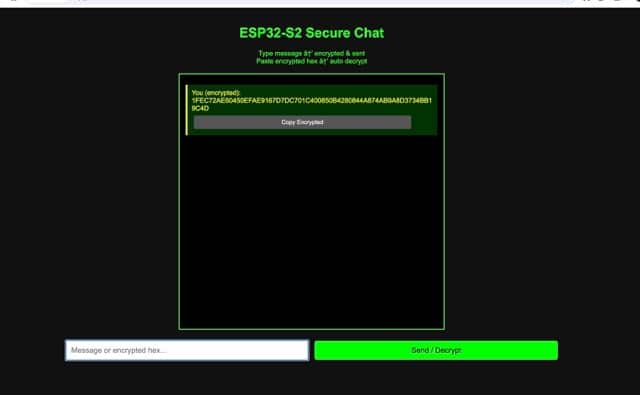
When you send a message through the app, it outputs an encrypted version of the message. On the receiving end, another device running the same web app and code can decrypt the message using the same encryption key. This allows users to share encrypted messages safely—anyone intercepting the message in between cannot read it.
The encryption technology used here is AES (Advanced Encryption Standard). The code includes a set of encryption keys, which must be the same on the device performing decryption.
Table of Contents
Bill of Materials
| Component | Qty | Description |
|---|---|---|
| IndusBoard Coin V2 | 5 | Smallest Wi-Fi coin-sized board with built-in encryption chip |
| 3.3V Battery | 1 | Li-Po / Li-Ion battery |
| USB-C Cable | 1 | Power and programming |
The IndusBoard Coin can host the web app, act as a server, and use its built-in encryption chip for AES encryption. The device can be made portable using a 3.3V battery.
Coding
For encryption, we use the IndusBoard Coin’s built-in AES-256 encryption chip. The hardware-accelerated AES-256-CBC mode provides fast encryption speeds (~12–15 MB/s).
Understanding AES Encryption
AES is a highly secure symmetric encryption algorithm that converts data into unreadable code. It’s widely used by governments, banks, and tech companies to protect sensitive information such as Wi-Fi credentials, financial records, and files.
AES encrypts data in fixed 128-bit blocks using keys of 128, 192, or 256 bits, making it highly resistant to attacks through multiple rounds of substitution, shifting, and mixing operations.
Step 1: Store the Encryption Key
First, we store a unique 256-bit key in the code. This key is critical and must be shared only with users who need to decrypt the message. Both the encryption chip and decryption system use this key.
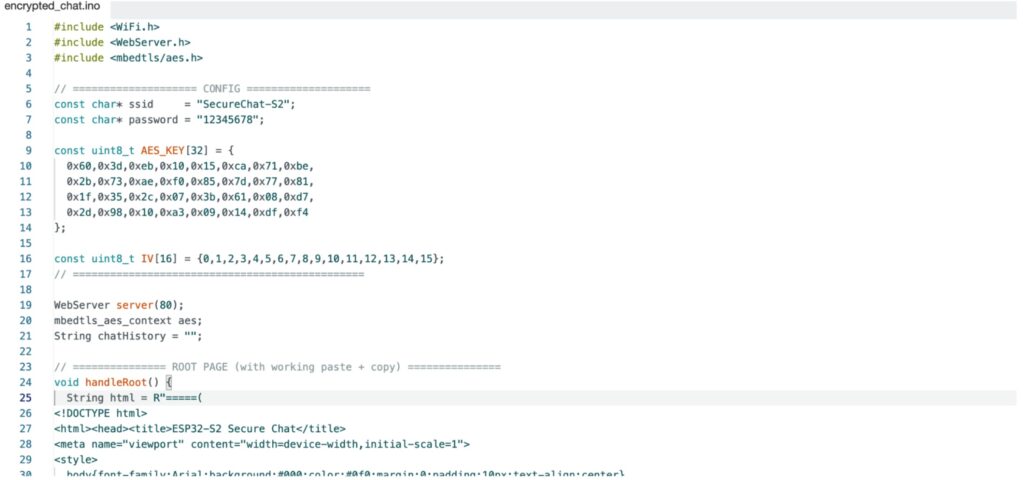
Next, configure the Wi-Fi SSID and password. In this project, we use AP mode, though you can also use STA or both. Using HTML and CSS, we create a simple web app hosted directly on the IndusBoard Coin.
Step 2: Encrypt Messages
The device’s embedded AES encryption chip takes input from the web app and encrypts it using the stored AES key. The encrypted message is then displayed to the user, who can safely share it.
On the receiving device, the same code and encryption key decrypt the message, displaying the original content.
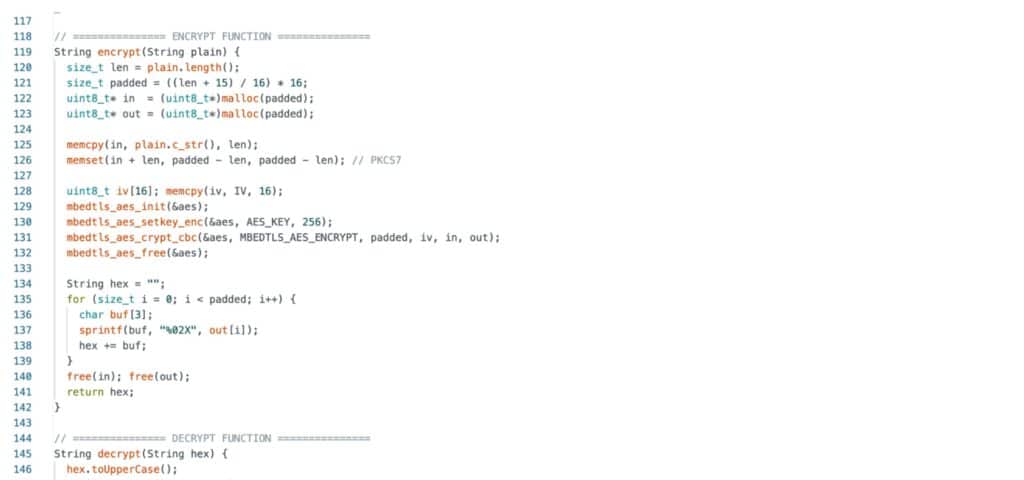
This method is identical to IoT systems, where sensor data is encrypted on an industrial controller and securely transmitted to a receiver device. The receiver uses the stored encryption key to decrypt the data, ensuring safe transmission even if intercepted.
Testing DIY IoT Encryption System
- Power on the IndusBoard Coin and connect to its Wi-Fi network.
- Open a browser and navigate to 192.168.4.1. The web app interface will appear.
- Send messages or IoT sensor data, which will be encrypted.
- On another device running the same code with the same encryption key, paste the encrypted message. The system will decrypt it and display the original message.