In this project, we build a real-time object-tracking camera using Raspberry Pi and MediaPipe. The camera detects a selected object, calculates its position in the video frame, and automatically moves using servo motors so the object stays centred. This system is useful for robotics, smart surveillance, sports recording, and AI-based camera automation.
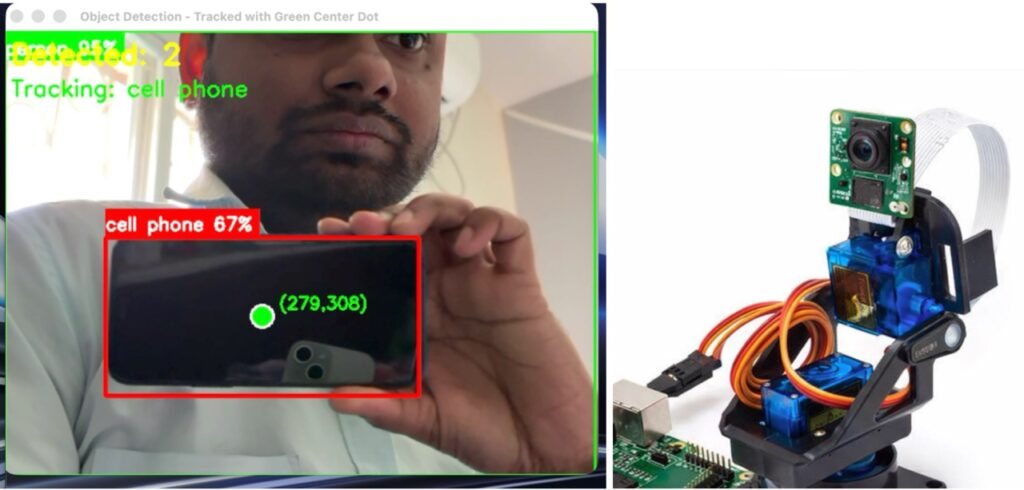
Why Object Tracking Cameras Matter
Smart cameras with object tracking capabilities are widely used in robotics, photography, sports video recording, ADAS, and professional videography. When a camera is moved manually to follow an object, the footage often becomes shaky and inconsistent.
By using AI-based object tracking, camera movement becomes:
- Smooth and stable
- Precise and responsive
- Fully automated
Real-time object tracking plays a critical role in applications such as autonomous robots, driver assistance systems, rocket tracking, and intelligent video systems.
Project Overview: AI Object Tracking Camera Using Raspberry Pi
This project demonstrates how to create an AI-powered pan-tilt camera using:
- Raspberry Pi
- MediaPipe object detection
- Servo motors
The camera continuously detects an object, finds its center point, and moves the pan-tilt mechanism to keep the object within the frame.
Bill of Materials (BOM)
| Component | Quantity |
|---|---|
| Raspberry Pi | 1 |
| Raspberry Pi Camera Module | 1 |
| Pan-Tilt Module | 1 |
| Servo Motor | 2 |
| 5V Power Adapter | 1 |
Software Requirements
- Raspberry Pi OS (64-bit recommended)
- Python 3
- MediaPipe
- gpiozero library
- MediaPipe-supported object detection model (.tflite)
Installing MediaPipe on Raspberry Pi
MediaPipe is used to run machine learning models for real-time object detection.
Step 1: Install Raspberry Pi OS (64-bit)
For best compatibility and performance, use the 64-bit version of Raspberry Pi OS.
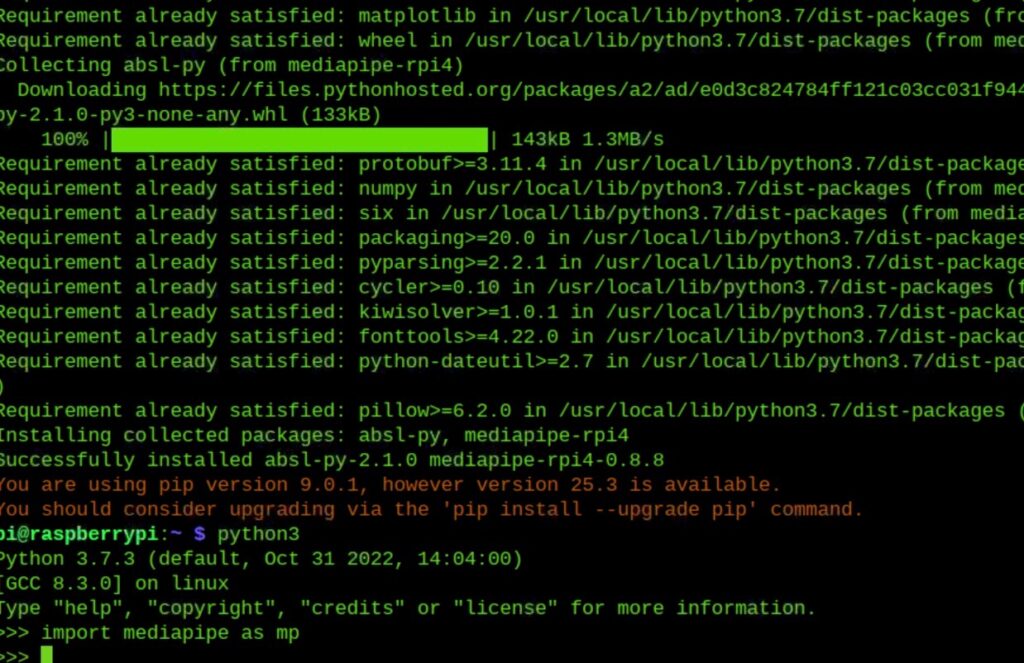
Step 2: Install MediaPipe
Open the terminal and run:
sudo pip3 install mediapipeStep 3: Verify Installation
Start Python and import MediaPipe:
import mediapipe as mpIf no errors appear, MediaPipe is installed correctly.
Installing Servo Control Library
The gpiozero library is used to control the servo motors.
Install it using:
sudo pip3 install gpiozeroDownloading the Object Detection Model
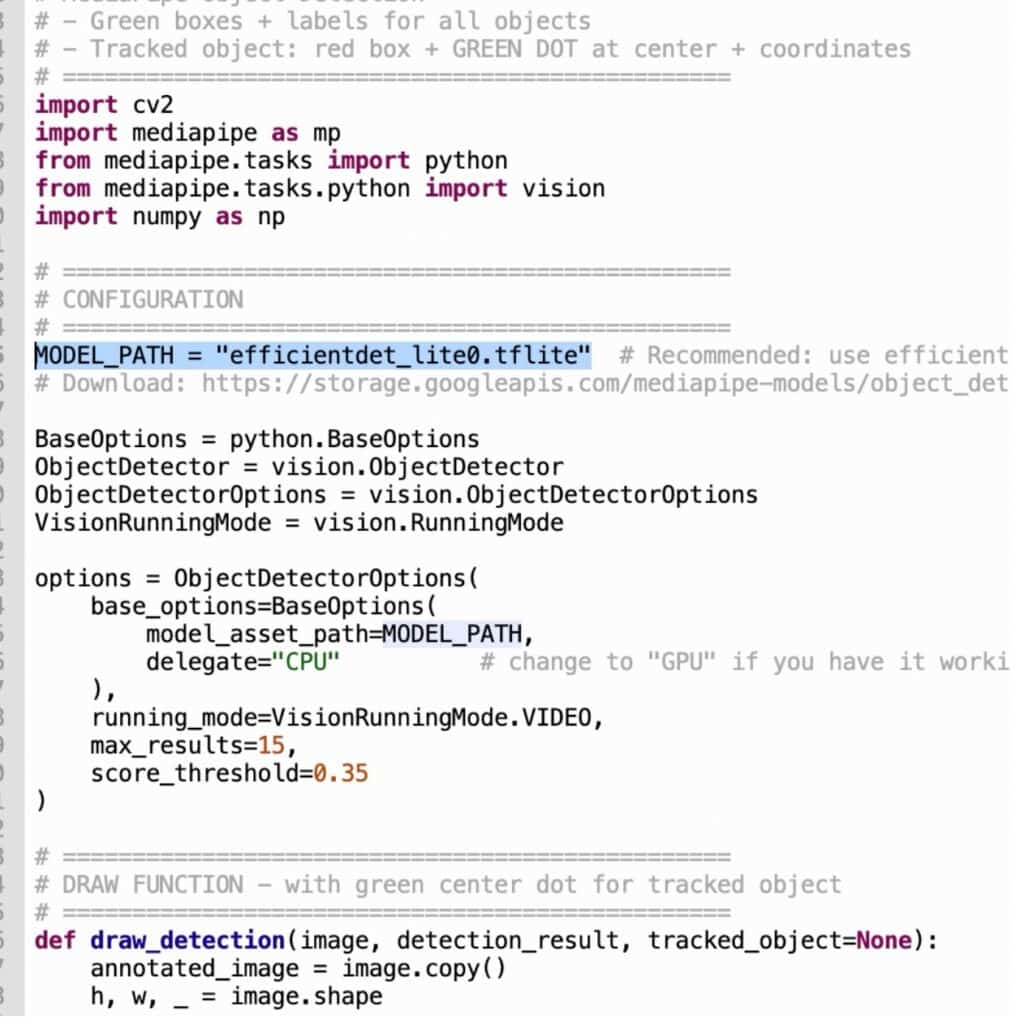
MediaPipe supports multiple object detection models. One of the most efficient models for Raspberry Pi is:
- efficientdet_lite0.tflite
This model provides a good balance between speed and accuracy.
Download the model from the official MediaPipe page:
Place the downloaded .tflite file in the same directory as your Python code.
If the model file is in the same folder, only the filename needs to be specified in the code.
How the Object Tracking Code Works
Once the program starts:
- The camera captures live video frames
- MediaPipe detects objects in the frame
- The center point of the detected object is calculated
- Object coordinates are mapped to servo angles
- Servo motors rotate the camera to follow the object
This process happens continuously, enabling smooth real-time tracking.
Hardware Connections
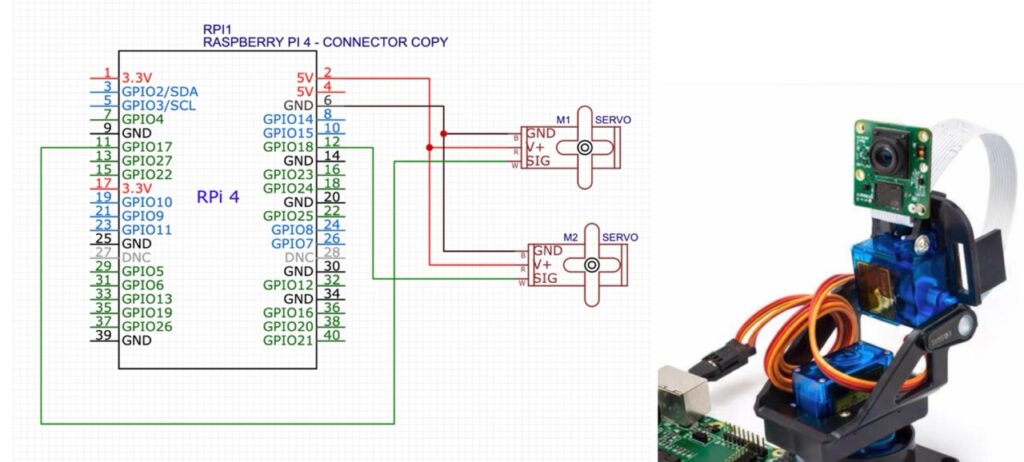
- Servo motors are powered using 5V and GND
- Servo signal wires are connected to Raspberry Pi GPIO pins
- In this project, GPIO 17 and GPIO 18 are used
- The camera connects to the Raspberry Pi via the CSI ribbon cable
- The complete system is powered using a 5V 3A power adapter
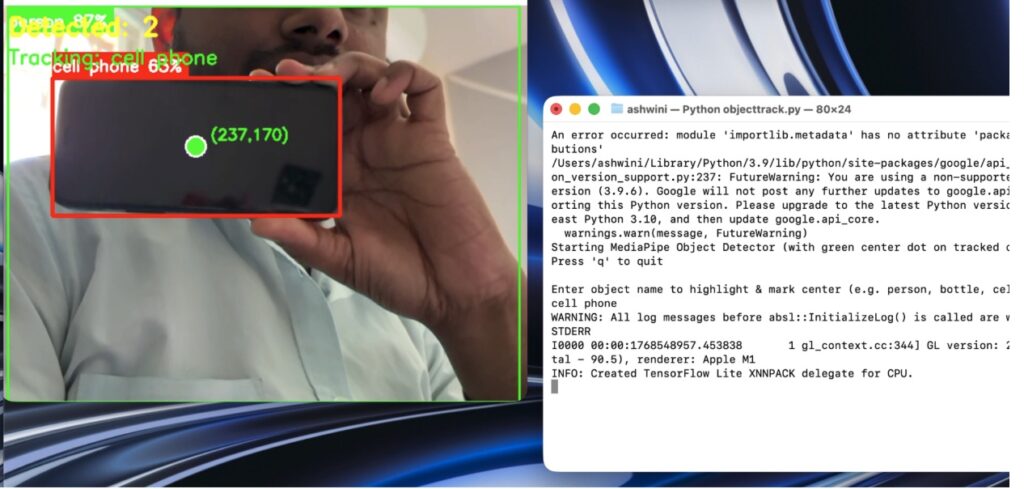
Testing the Object Tracking Camera
- Power on the Raspberry Pi
- Run the
objecttracker.pyfile - A window will open asking for the object name
- Enter an object name such as:
- Ball
- Bottle
- Person
- Mobile phone
- Face
Once entered, the camera will automatically start tracking the selected object and move accordingly.
Applications of This Project
- Smart surveillance systems
- Robotics vision systems
- Sports and wildlife recording
- AI-powered camera automation
- Educational AI and IoT projects
Final Thoughts
This Raspberry Pi object-tracking camera project demonstrates how AI vision and hardware control can work together to create intelligent systems. With MediaPipe handling object detection and servo motors managing camera movement, the system delivers smooth, real-time tracking suitable for both learning and real-world applications.
Related Object tracking and Detection projects:
3D Object Tracking and Recognition
Object Tracking Camera using Raspberry Pi and MediaPipe
Object Detection Using Lidar Module
Object-detection using IR Sensor