
An EDA tool that turns code into real hardware inside a chip—design, test, and run custom FPGA systems before anything is physically built.
Quartus Prime (Latest update in May 2026) is a software suite developed by Altera, formerly part of Intel FPGA, for designing, testing, analyzing, and programming programmable logic devices such as FPGAs (Field-Programmable Gate Arrays) and CPLDs (Complex Programmable Logic Devices).
Think of it as a tool that lets you design a custom electronic circuit on your computer, test whether it works, and then load that design into a chip. Unlike software development, where code runs on a processor, FPGA development allows you to create the hardware itself. Quartus Prime handles this entire process from start to finish.
Imagine you want to build a machine that processes data, controls motors, handles communication signals, or accelerates AI workloads. Instead of designing a physical circuit board from scratch, you can use an FPGA, a chip whose hardware can be reconfigured whenever needed. Quartus Prime can help you tell the FPGA what hardware to become.
How the Process Works
1. Creating the Hardware Design
Engineers first describe the hardware they want to build. This can be done by:
- Writing hardware code using languages such as Verilog, VHDL, or SystemVerilog
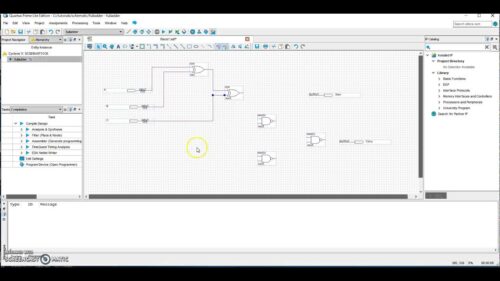
- Drawing circuit blocks and connecting them visually
For example, an engineer might design a communication controller, a signal-processing unit, or a custom processor.
2. Converting the Design into Hardware
Once the design is complete, Quartus Prime converts that description into a format the FPGA can understand.
The software determines:
- Which logic blocks inside the FPGA will be used
- Where memory resources will be placed
- How different parts of the design will connect together
This is similar to converting a building blueprint into detailed construction instructions.
3. Testing Before Using Real Hardware
Before loading the design onto the chip, engineers can test it in software.
Quartus Prime allows them to:
- Check whether the design behaves correctly
- See how it responds to different inputs
- Find and fix errors early
This helps avoid spending time and money troubleshooting on physical hardware.
4. Checking Speed and Power Usage
The software also analyzes:
- Whether signals can move through the circuit fast enough
- Whether the design meets timing requirements
- How much power the FPGA is likely to consume
These checks are important in applications such as networking equipment, industrial systems, automotive electronics, and AI hardware.
5. Programming the FPGA
After the design passes all checks, Quartus Prime generates a configuration file.
This file is then loaded into the FPGA, turning the chip into the custom hardware the engineer designed.
In simple terms, the FPGA becomes whatever circuit the engineer created inside Quartus Prime.
Who Can Use It?
Quartus Prime is used by a wide range of people involved in digital hardware development. Its users include FPGA engineers who design programmable hardware, hardware designers developing digital circuits, and embedded system developers building products that combine hardware and software. It is also widely used by electronics companies for commercial product development, as well as by students, educators, and researchers for learning, prototyping, and academic projects.
The software is used across many industries and applications. Engineers use it to develop communication systems for data transfer and networking equipment, build hardware for data centers, and create control systems for industrial automation. It is also used in robotics, automotive electronics, aerospace systems, and AI acceleration hardware, where custom processing and high-speed data handling are often required.
Why Engineers Use It?
Quartus Prime combines design, testing, analysis, and programming tools in one environment. Instead of using separate software packages for each step, engineers can develop an FPGA project from the initial idea to the final programmed chip within a single platform.
It is available in a free version called the Lite Edition, which provides the essential tools needed for FPGA development, including design entry, compilation, programming, and basic simulation.
Here is how the editions compare:
| Feature | Lite Edition (Free) | Standard Edition (Paid) | Pro Edition (Paid) |
| License | No paid license required | Annual subscription | Annual subscription |
| Supported Devices | Cyclone IV, Cyclone V, MAX 10, and other entry-level devices | Wider range of Intel/Altera FPGA devices | High-end and complex FPGA architectures |
| Design Tools | Core tools for design entry, compilation, programming, and simulation | Includes Lite features plus additional development and optimization capabilities | Includes all features with advanced development, analysis, and optimization tools |
| Advanced Features | Does not support features such as design partitions and partial reconfiguration | Supports additional features for larger projects | Supports advanced features for large-scale FPGA designs |
| Target Users | Students, educators, hobbyists, and small development teams | Professional developers working on larger projects | Enterprise users and teams developing complex FPGA applications |
| Typical Use Cases | Learning, prototyping, and small FPGA projects | Commercial and larger-scale FPGA development | High-performance, large-scale FPGA development |
Users can request a free 90-day evaluation license to test the Standard and Pro Editions before purchasing. The Lite Edition comes bundled with the Questa-Intel FPGA Starter Edition for simulation. The simulator requires a separate free license from the manufacturer.
What’s new?
The latest major release of Altera FPGA design software is Quartus Prime Pro Edition Version 26.1, launched in May 2026, with early documentation starting from April 6, 2026. The update focuses on faster compilation, improved power and thermal analysis, and expanded support for Agilex FPGA devices.
It also introduces new workflows and capabilities that were limited or not available in earlier versions.
Here is exactly what you can do now that you could not do before:
1. Build complex subsystems using drag-and-drop
Earlier versions required manual wiring and separate integration steps for connecting IP blocks and RTL modules.
Now, the Visual Designer Studio allows block-based system design with automated connectivity. It can generate connections between Verilog, VHDL, and SystemVerilog blocks and provide a unified system view.
2. Debug FPGA signals using Python
Signal debugging earlier depended mainly on graphical SignalTap workflows and fixed log outputs.
Now, the SignalTap Python API allows direct access to live debug data through Python scripts. This enables structured data capture for testing, plotting, and automated analysis.
3. Model real thermal behavior of hardware
Earlier Power and Thermal Analyzer versions focused on static die-level estimates.
Now, the tool supports improved thermal modeling that includes heat flow paths through physical structures like heatsinks. This helps in better enclosure and cooling design before hardware build.
4. Run asynchronous power analysis
Earlier workflows required full synchronous runs before power results were available.
Now, power calculations can run asynchronously, allowing partial checks during compilation without stopping the full design flow.
5. Automate EMIF placement using Tcl scripts
Earlier, External Memory Interface placement required manual configuration through GUI tools.
Now, EMIF I/O placement can be fully automated using Tcl scripts, enabling headless and repeatable system generation for high-speed memory designs.
How to get started
To get started with the free version of Intel (now Altera) Quartus Prime, download the Quartus Prime Lite Edition. It does not require a paid license and provides essential tools to design, compile, and simulate FPGA designs for entry-level devices like Cyclone, MAX, and Arria.
You can download it from the official Altera FPGA software page:
Altera Quartus Prime Lite Download Center
Follow this step-by-step guide to install the software and create your first project:
1. Download and install
- Visit the official download page:
Quartus Prime Lite Edition (Official Download) - Create a free account and sign in
- Select Quartus Prime Lite Edition
Choose one of the download options:
- Web installer (small download)
- Full offline package (.iso or .tar)
During installation:
- Select required device support packages
- Example: Cyclone IV, Cyclone V, MAX 10
- Install Questa Intel FPGA Starter Edition for simulation support
More installation details:
Intel FPGA Installation Guide
2. Launch and create your first project
After installation, open Quartus Prime and start a new project:
- Open Quartus Prime
- Go to File → New Project Wizard
- Set:
- Project name
- Working directory
- Top-level design entity
- Add source files if available (Verilog, VHDL, or schematic)
- Select your FPGA device
- Example: Cyclone IV EP4CE22F17C6
- Finish the wizard to create the workspace
3. Write and compile design
- Go to File → New → Verilog HDL File or VHDL File
- Write your design and save it using the top-level entity name
- Open the Tasks panel
- Click Compile Design → Start Compilation
Quartus Prime helps turn hardware ideas into real working chips. It lets engineers design, test, and check digital circuits on a computer before putting them on an FPGA. This saves time, reduces errors, and makes hardware development easier. With its latest updates, it is faster and gives better control over design, power, and performance. In short, Quartus Prime is a tool that helps move from an idea to real hardware in a simple and structured way.