




Learn how a free tool lets you build and test digital circuits on your computer and see how chips really work before making them.
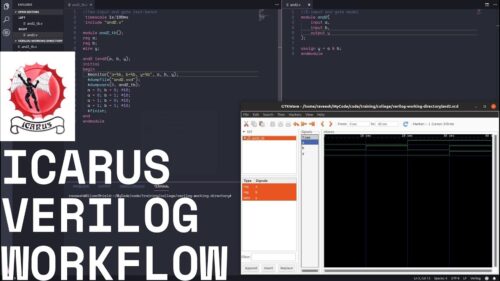
Icarus Verilog also called iVerilog is a software tool used in electronics and hardware design. It is an Electronic Design Automation (EDA) tool because it helps engineers design digital circuits using the Verilog language, simulate those designs to see if they work correctly and generate netlists (detailed maps of circuit connections) that can be used to build actual hardware.
When you design a digital chip, like the ones in computers or phones, you don’t build it with physical wires right away. Instead, you write a blueprint in a hardware description language, such as Verilog, that explains how the chip should work.
Icarus Verilog takes this blueprint and does two main things. First, it translates your Verilog code into a machine-readable form called a netlist, which maps all the connections in your chip. Second, it allows you to test and simulate your design on a computer before building any hardware, showing how signals change over time.
The tool works by collecting all design files, checking for errors, linking modules together, and producing compiled files that can run as simulations. While iVerilog is mainly used for simulation, it also has growing capabilities for synthesis—turning designs into formats suitable for physical hardware. Its extendable code generator allows programmers to add new output formats if needed.
Icarus Verilog works on major operating systems like Linux, Windows, and Mac OS, and it’s free under the GNU General Public License. By separating the device being designed from the test code, it lets you safely design, simulate, and verify complex circuits entirely on a computer. “I am a faculty at a university in Turkey. I’ve used it in a teaching and research environment for the last 6 years. As also a former Silicon Valley chip designer, I can safely tell Icarus Verilog can even be used in production environments,” said one user.
Why use iVerilog?
In the most simplest words iVerilog is a tool that helps you work with Verilog, which is a language used to describe how digital circuits work. You write Verilog code to describe a circuit. iVerilog checks that code and then runs it on your computer to show how the circuit behaves. But now it’s time to understand how it is beginner friendly or why you should even use this tool when there are many other tools in the market available. Let’s take a look:
- It is free: You do not need to pay or buy a license. Anyone can use it.
- It is easy to get: It works on Linux, Windows, and macOS. You can install it with simple commands.
- It helps find mistakes: It checks your Verilog code and tells you if there are errors.
- It lets you test designs: You can simulate your circuit before building real hardware. This helps you see if the logic works.
- You can see signals change: With a tool like GTKWave, you can view waveforms and understand how signals go high and low over time.
- It follows Verilog rules: It supports common Verilog standards, so what you learn is useful for other tools too.
Many people use this tool because it is popular, you can find tutorials, examples, and help online. It is a simple and free way to learn, test, and understand digital circuits using Verilog. “I’ve been using Icarus Verilog in a production environment for almost two years. In that time I’ve used it to tape out a small mixed signal ASIC and develop and simulate a moderately complex FPGA system,” a user added.
What’s Latest?
The latest stable release of iVerilog is version 12.0, released in June 2023, which serves as the main platform for most users. The latest update focuses on bug fixes, minor enhancements, and overall improvements rather than major new language features compared to the previous version (version 11).
This version didn’t add any big new features to the Verilog language itself. Instead, it focused on making the program more stable, reliable, and correct. You can think of it like updating your phone’s software. It might not add new apps, but it fixes bugs, improves performance, and makes everything run smoother. But what exactly changed in version 12.0? Lets find out:
- Bug fixes and stability: Earlier versions had some problems that could make the program crash or give wrong results. This new version fixed many of these problems, making the software more stable and reliable.
- Verilog Procedural Interface (VPI) module support: This is a way for you to write extra modules (like small helper programs) that work with Verilog. The updated version 12.0 made these modules work better and fixed issues with them.
- Improved error messages: Before, if you made a mistake in your Verilog code, the program might not explain it clearly. Now, the program checks your code more carefully and gives better explanations, helping you find and fix errors faster.
- Internal improvements: The software’s “engine” that simulates circuits was improved. This means it can run simulations faster and handle more complicated designs without crashing.
- Better coverage of Verilog features: Some small parts of the Verilog language weren’t fully supported before. Version 12.0 added small fixes so that all standard Verilog and SystemVerilog features work correctly, even in unusual situations.
For users, iVerilog version 12.0 is more stable and reliable than earlier versions. It fixes problems that appeared in the versions after 11, so your Verilog code runs more smoothly. When you compile your design files with version 12, they usually work with the simulator from the same release, though a few internal changes in how files are stored might mean you need to recompile some old files.
What it can not do well?
Icarus Verilog is good for learning and for small tests. It is free and easy to start with. But it has a few limitations. Let us put some light on that too.
- SystemVerilog support: SystemVerilog is a newer and more powerful version of Verilog. Big companies use it for large chips. iVerilog supports only part of SystemVerilog. Some constructs are missing, and 2-state logic is often treated as 4-state, which can complicate designs. In simple words you can say small examples work but complex modern code copied from industry projects may fail.
- Timing and SDF: If we talk about the real chips, each and every wire or even logic gates have very minor delays. After a chip is placed and routed, timing data is stored in a file called SDF. iVerilog has limited SDF support. This makes post-layout timing simulation less accurate.
- Debugging: When something goes wrong, tools should tell you what and where. iVerilog sometimes fails here and gives error messages that are unclear or unhelpful, such as generic messages like “I give up,” which makes debugging harder.
- Scalability: iVerilog works well for small files and few modules, but very large designs with thousands of files and millions of lines can cause crashes or slow simulations. Industry tools or simulators like Verilator handle this better. “Verilator is far faster than iVerilog, making it ideal for running massive regression tests,” explained one user.
- Analog and mixed signal: Some chips include digital logic (1s and 0s) and analog parts (voltage, current, sensors), but support for analog behavior and Verilog-A, a modeling language for analog circuits is limited. It is mainly a digital simulator.
- Vendor IP: Many companies protect their designs using encrypted IP. iVerilog cannot read or simulate encrypted vendor IP. For example if you use a protected memory or PLL model from a chip vendor, it will not work.
- Specific Verilog gaps: A few Verilog features and some array connections are not fully supported or behave differently than expected. This usually affects advanced users, not beginners.
Icarus Verilog is like a learning bicycle. It is perfect to learn balance and basics. For racing or long highways, you need a bigger vehicle. It is good for learning HDL, small to medium projects, quick functional checks, FPGA work with standard Verilog, and free use but not ideal for ASIC sign-off, accurate timing simulation, encrypted IP, heavy SystemVerilog use, or vendor-specific and mixed-signal flows.
How to get started?
The first step is very simple. Download and install Icarus Verilog for your operating system. Kindly find the installation guide here.
Start with a basic design, like a logic gate or a counter. Use iVerilog to compile your code and simulate the circuit. Export the simulation output to GTKWave to see signals and waveforms. Try modifying your design to understand how changes affect the circuit. You can find the getting started guide here.
Icarus Verilog is a simple and practical EDA tool that helps users learn, write, and test Verilog-based digital circuits without cost or complex setup. It allows beginners to understand how hardware designs work by compiling code, running simulations, and viewing signal behavior before any real hardware is built. While it has limits in advanced SystemVerilog features, timing accuracy, and large industry-scale designs, it remains a strong choice for learning HDL, small projects, and quick functional checks. For anyone starting in digital design or looking for a free and reliable way to practice Verilog, iVerilog provides a clear and useful entry point.

